Word Games for Seniors: 5 Easy-to-Read Picks With No Timers (2026)
Short answer: Vita Word Search for Seniors is the easiest word game to start with, thanks to its big letters, no timer and full offline play. Everything Must Word, which I make, is the pick for learning new words and planning ahead. For a classic crossword, try Crossword Puzzle Redstone; for a calm game of Scrabble against the computer, Classic Words Solo. All five are free on iPhone and Android, and you play every one of them on your own, at your own pace.
I make word games for a living, and for older players the question is usually a simple one: which game can I read, play at my own speed and enjoy without a video ad every minute? So I checked the popular options against five things that matter to older players: large text, no timers, solo play, offline play and how many ads you will see. Every rating, price and ad label below comes from the live US App Store and Google Play listings on November 26, 2026.
What makes a word game good for seniors
Most word game charts are built for people killing two minutes on a bus. That design shows in a few ways that older players notice quickly.
- Large, clear text. Many games squeeze letters into small tiles, surrounded by coin counters and pop-ups. A good pick keeps the letters big and the screen uncluttered.
- A slow pace with no timers. A countdown turns a relaxing puzzle into a test. Every pick here lets you take as long as you like.
- Single player. Turn-based games with strangers mean waiting on other people and getting nudged to play. Solo games fit around your day.
- Few ads. This is the most common complaint in reviews. Wordscapes players have written that "Every, Every puzzle is then followed by ads. Long ads" (January 2024) and "They now insert advertisements after EVERY completed game" (March 2025), in reviews collected on JustUseApp.
- Offline play. A game that works without Wi-Fi works on a plane, in a waiting room and at a cabin with no signal.
A tip for any app: on an iPhone, Settings, then Display & Brightness, then Display Zoom makes everything on screen larger, including games that have no text-size option of their own. Android phones have a similar "Display size" setting under Display, though the exact name varies by maker.
Do word games keep your brain sharp?
Word games give your mind real work. A word search tests attention and memory, as you hold a list of words in your head while scanning the grid. Crosswords test recall and vocabulary. Scoring games such as Scrabble add planning, because the best move depends on what you might draw next. That is why so many people enjoy them.
What no word game can honestly promise is protection from memory loss or dementia. Plenty of app listings hint at it, so be wary. In January 2016 the US Federal Trade Commission made Lumosity pay $2 million over ads claiming its games could "delay age-related cognitive decline", and said plainly that "Lumosity simply did not have the science to back up its ads" (FTC press release). So I make no health claims here. Pick a game because it is enjoyable and keeps you curious, and if you have concerns about your memory, talk to your doctor.
Word games, sudoku or chess?
Each kind of puzzle asks for something different. Sudoku is pure logic with numbers. Chess is planning several moves ahead against an opponent. Word games lean on vocabulary and memory, and the scoring ones add a little of chess's planning: in Classic Words Solo you often hold back a good letter for a bigger play later, and in Everything Must Word you choose upgrades with the next few levels in mind. If you enjoy sudoku as well, Puzzle Page (free on iPhone and Android, with ads) puts crosswords, sudoku, word searches and about twenty other puzzle types in one app. It does not say whether it works offline, which is why it is not on the main list.
| Game | Exercises | Large text | Timer | Solo | Offline | Ads | App Store rating |
|---|---|---|---|---|---|---|---|
| Vita Word Search for Seniors | Attention, memory | Yes, built for it | None | Yes | Yes | Yes, frequent | 4.7 (49K) |
| Everything Must Word | Vocabulary, planning | Large tiles | None in the Campaign | Yes | Yes | One banner ($2.99 to remove) | 5.0 (3) |
| Crossword Puzzle Redstone | Recall, vocabulary | Small on phones, better on iPad | Counts up, no limit | Yes | Yes | Yes | 4.8 (117K) |
| Classic Words Solo | Planning, vocabulary | Small board on phones | None | Yes, against the computer | Yes | Yes | 4.8 (125K) |
| Daily Themed Crossword | Recall, general knowledge | Large clue text | None | Yes | Not stated | Yes, VIP removes them | 4.7 (147K) |
1. Vita Word Search for Seniors - the easiest to read
Platforms: iOS (Free), Android (Free)Ad-supported, with in-app purchases. Full offline play.
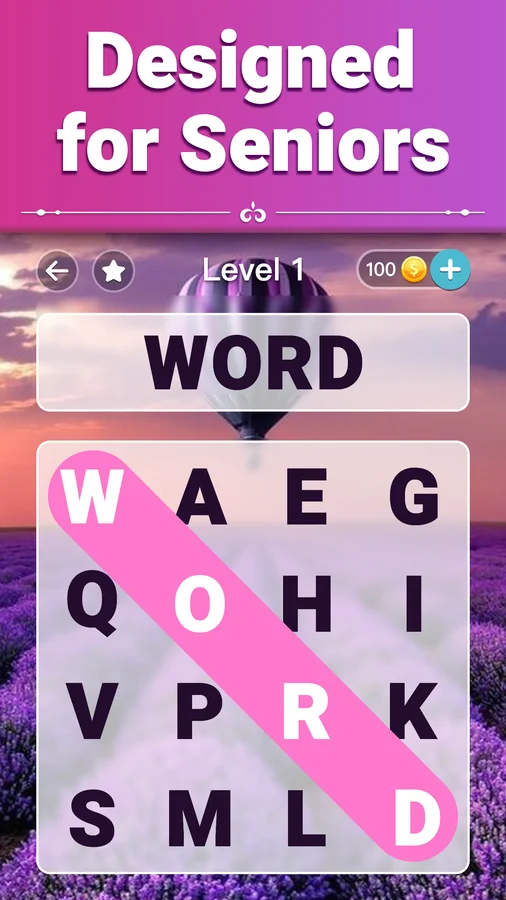
Vita Studio makes a whole family of games for older players, including Vita Solitaire and Vita Mahjong, and its word search is the closest thing to a word game designed for seniors from the ground up. The letters are big, the grids start small, and the puzzles sit over calm landscape photos. Each puzzle has a theme, and you swipe across the letters to find the hidden words. Levels get gradually harder as you go, and hints are there when a word refuses to show itself.
Players notice the difference. "It's great to have larger print," one review says, and another: "the print is large from my age". It works fully offline and runs on phones and iPads, and it holds a 4.7 average from about 49,000 ratings on the US App Store.
Where it differs: the ads. "There's an ad after each round and there's 20 rounds in each level," one player wrote in a review on JustUseApp. Word search is also the gentlest challenge on this list, which is perfect for some players and too easy for others.
2. Everything Must Word - for learning new words and planning ahead (and it is mine)
Platforms: iOS (Free), Android (Free)One banner ad in the Campaign and no video ads; a one-time $2.99 upgrade removes the banner, gives more hints, lets you replay past Daily Challenges, and unlocks cosmetics.
Disclosure: I made this one, on my own, as a solo indie developer. It is not built specifically for seniors the way Vita Word Search is, which is why Vita comes first. It sits second because it is the pick I would give anyone who wants to learn new words and enjoys thinking a move or two ahead. Judge it accordingly.
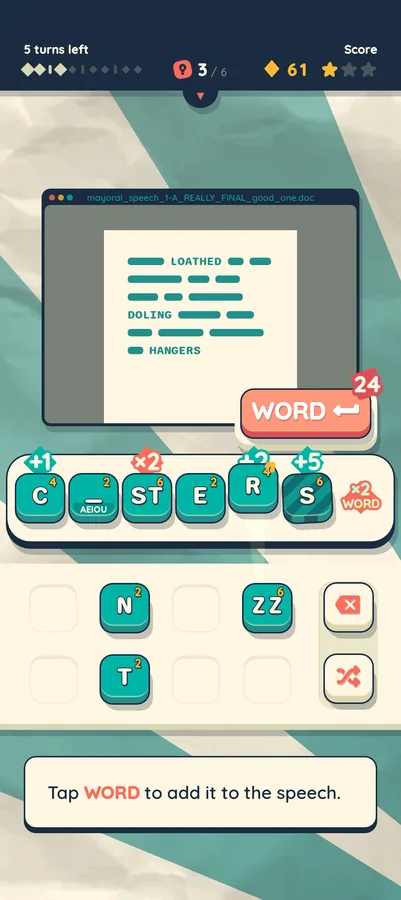
Everything Must Word is a free solo anagram game. You play the speechwriter for a small-town mayor during re-election season, drawing letter tiles into your hand and spelling the highest-scoring word you can find. Rare letters and long words score more, and upgrades you collect multiply particular spots on the board, so the best word keeps changing.
Best for learning new words: after you play any word, hold a button and its definition appears. The definitions are stored in the app, so they work offline, and they cover over 95% of valid words. When a lucky jumble of letters turns out to be a real word, you find out what it means on the spot.
Planning, the chess side: because upgrades build up over a campaign, each upgrade you pick changes which words will score best in the levels ahead. Choosing them is a small bet on the future, and that decision is what keeps the game interesting week after week.
Easy on the eyes and the nerves: the letter tiles are large, and there is very little text outside the game itself. The Campaign has no clock, and there are no lives, no energy meter and no opponent to wait on. Sessions run under ten minutes, you can pause partway through a level, and the whole game plays offline. The only ad is a single banner, so nothing interrupts you between words.
Where it differs, honestly: it is new, with a 5.0 average from only three App Store ratings so far, and the banner stays unless you pay $2.99. It also has an optional 60-second mode called Blitz!, which is the one timed part of the game; you never have to play it.
3. Crossword Puzzle Redstone - the classic crossword, offline
Platforms: iOS (Free), Android (Free)Ad-supported, with in-app purchases. Plays offline.
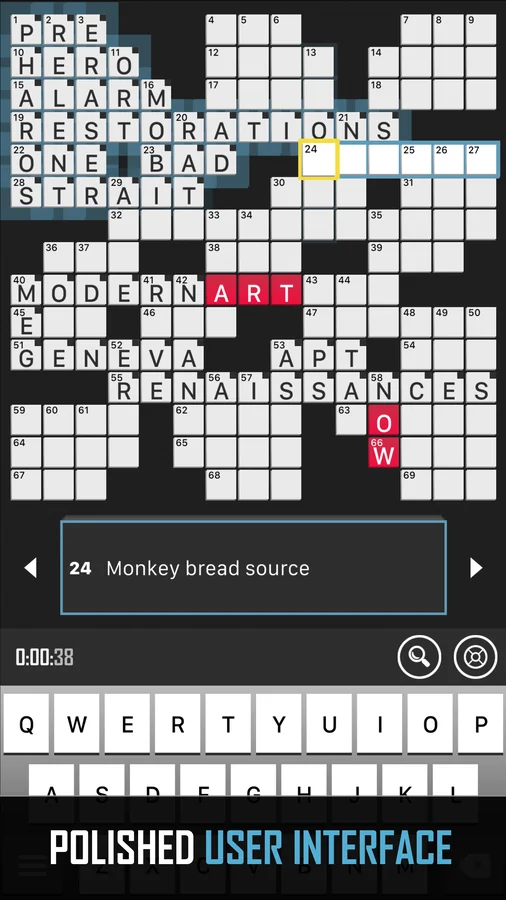
If the newspaper crossword is your daily habit, Redstone is the closest match on a phone. It offers mini, midi and full-size crosswords in packs from easy to master, and you can solve them all offline. The helpers are thoughtful: you can show errors, reveal a letter, and lock completed words so you do not overwrite them by accident. There is also a dark mode, which some people find easier on the eyes in the evening.
A clock in the corner counts how long you have taken, but there is no time limit, so you can leave a puzzle half-finished and come back after lunch. It has a 4.8 average from about 117,000 ratings on the US App Store.
Where it differs: a full 15 by 15 grid is small on a phone screen. On an iPad, where it supports landscape mode, it is far more comfortable. It is also ad-supported.
4. Classic Words Solo - Scrabble against the computer
Platforms: iOS (Free), Android (Free)Ad-supported. Plays offline.
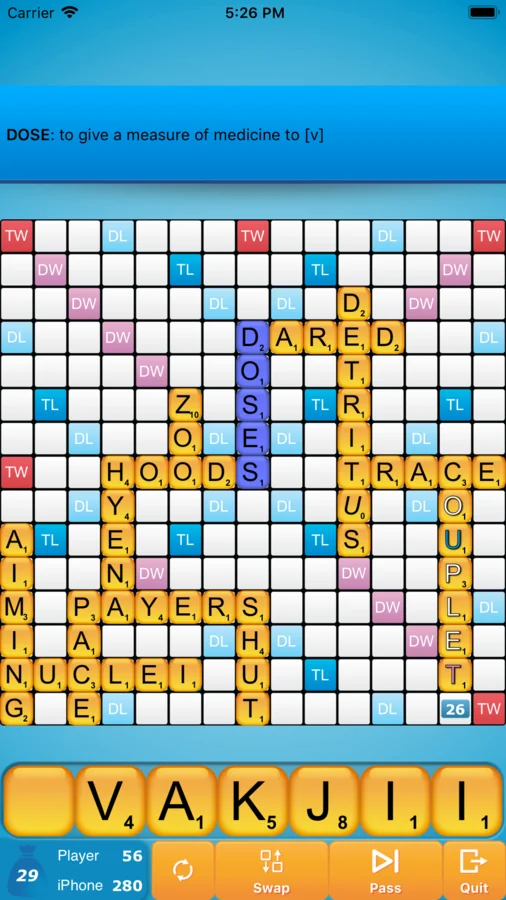
Many people grew up playing Scrabble at the kitchen table, and Classic Words is the calmest way to keep playing without needing anyone else. You lay words on a familiar board with double and triple squares, against a computer opponent set to one of six difficulty levels, from beginner to expert. Nobody makes you wait, and nobody hurries you either.
It is the strategy pick on this list, the one for chess fans. Where you place a word matters as much as which word you choose, and the computer's moves show its words' definitions automatically, so you pick up new words as you lose to it. It plays offline and has a 4.8 average from about 125,000 ratings.
Where it differs: the board and tiles are small on a phone, so it suits a tablet better. It is also ad-supported.
5. Daily Themed Crossword - a friendly puzzle every morning
Platforms: iOS (Free), Android (Free)Ad-supported. A VIP subscription removes ads.
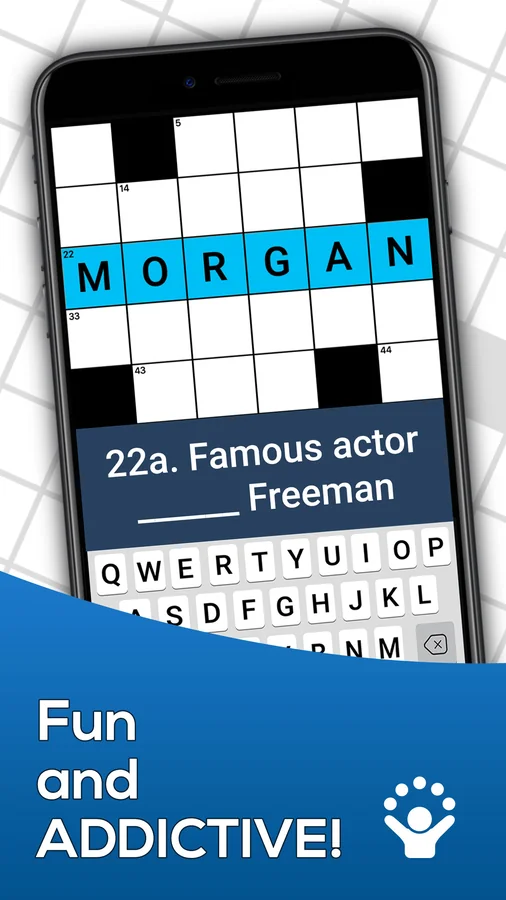
Daily Themed Crossword publishes a new puzzle every day of the year, each built around a theme such as movies, music, sports or history. The clues lean on general knowledge more than wordplay, so they are friendlier than a Saturday newspaper crossword, and the clue text sits in a large bar above the keyboard. It makes a pleasant morning routine with a cup of coffee.
There is no countdown, and it has a 4.7 average from about 147,000 ratings on the US App Store.
Where it differs: it does not say whether it works offline, so plan on needing a connection. It is ad-supported, and the VIP subscription that removes the ads is billed weekly or monthly, so check the price in your store before you sign up.
Which word game should you install?
If reading small text is the main problem, start with Vita Word Search for Seniors; it was designed with older eyes in mind. If you want to learn new words and like thinking a move ahead, try Everything Must Word, which shows the fewest ads of the five. Crossword lovers should install Crossword Puzzle Redstone for offline play, or Daily Themed Crossword for a lighter puzzle each morning. And if you miss Scrabble, Classic Words Solo gives you a patient opponent at any hour.
For a broader list that includes Wordle and two-player games, see free word games for adults. To compare the most popular apps by chart rank, ratings and ads, see my best word game apps, and if board games are your thing, try my list of games like Scrabble.
Prices are in USD and may change. Ratings, prices and ad details were checked on the US App Store and US Google Play on November 26, 2026. Store catalogues and prices vary by region, so check your own store before you buy. Nothing on this page is medical advice.
Statistics on this page are researched from the sources cited or inferred from public data to the best of our ability, and were last checked on November 26, 2026.